
How do I connect multiple Etsy accounts?
Seller Ledger uses OAuth to connect most online marketplace and store accounts (eBay, Etsy, Amazon, and Shopify). This means we redirect you to those marketplaces/stores, where you sign in and give us permission to import your transaction history.
If you sell on more than one shop or storefront on the same marketplace (for example, two Etsy shops), you can connect all of them to Seller Ledger. There's just one important step you need to remember: you must be logged out of the marketplace before connecting an additional account.
Why do you have to log out first?
When Seller Ledger redirects you to Etsy's website, Etsy checks to see if you're already logged in. If you are, it assumes you want to grant permission for that account — the one you're currently signed into.
So if you already have one Etsy shop connected and you're still logged into Etsy in your browser, clicking to add a second shop will just re-authorize the same shop you already connected. You won't see a login screen, and you won't have a chance to choose a different account.
The fix is simple: log out of the marketplace in your browser first, then start the connection process from within Seller Ledger.
Connecting an additional shop or store
Once you've logged out of Etsy, here's how to connect another account:
1. In Seller Ledger, find the Etsy section on your dashboard.
2. Click the small "+" icon to the right of the Etsy name.
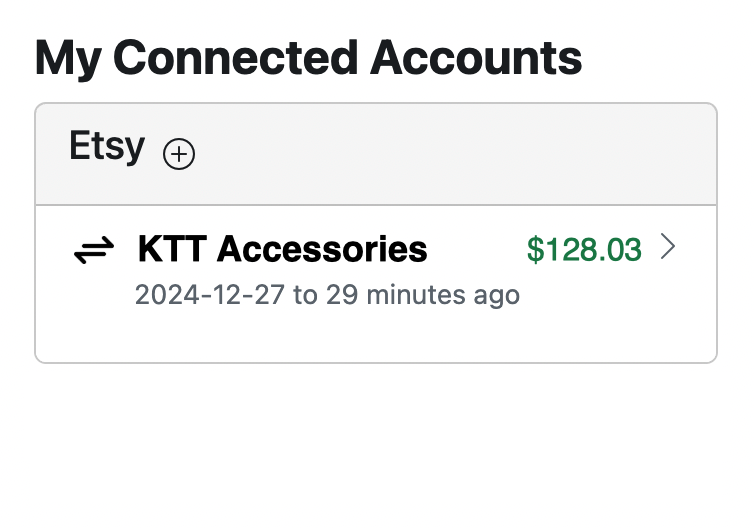
3. You'll be redirected to Etsy's login page. Sign in using the credentials for the new shop you want to connect.
4. Grant Seller Ledger permission to access that shop.
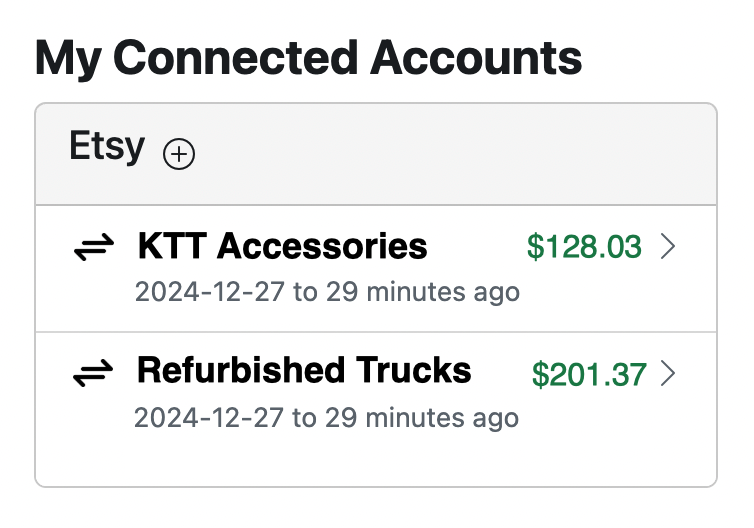
5. You'll be returned to Seller Ledger, where the new shop will now appear as a separate account on your dashboard.
Authorizations expire — what to do when you're asked to reconnect
Marketplaces don't keep Seller Ledger's permission to access your account forever. After a certain amount of time (Etsy, for example, expires authorizations periodically), you'll be asked to reconnect the shop so we can continue importing your sales and expense data.
When you have more than one shop connected, this reconnection process takes a little extra care. Here's the order of operations that works reliably:
1. When Seller Ledger prompts you to reconnect a shop, click the Reconnect link next to the first shop.
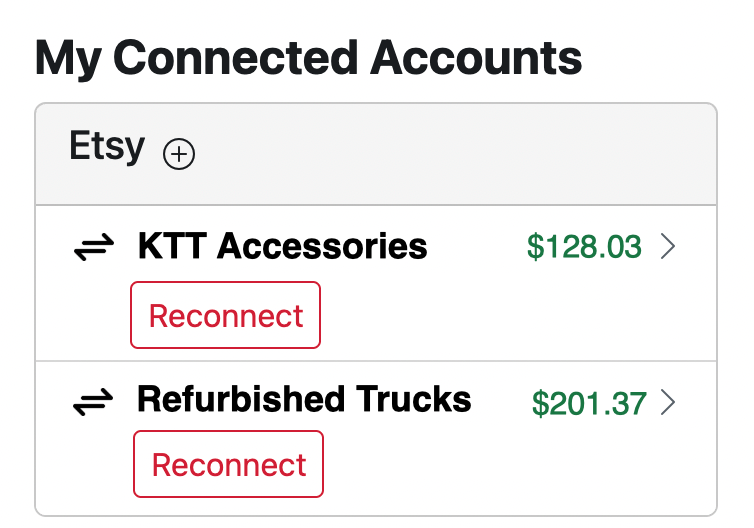
2. You'll be redirected to Etsy. Log in with the credentials for that first shop and re-authorize Seller Ledger.
3. Once you're back in Seller Ledger, go to Etsy in a new browser tab and log out of Etsy completely.
4. Return to Seller Ledger and click the **reconnect** link next to the second shop.
5. You'll be redirected to Etsy again. This time, because you logged out, you'll be prompted to sign in. Use the credentials for the second shop and re-authorize Seller Ledger.
6. Repeat the log-out / reconnect cycle for any additional shops you have connected.
The key thing to remember is that, between each reconnection, you need to log out of the marketplace. Otherwise, the marketplace will assume you're trying to re-authorize the shop you're currently signed into, and you'll end up reconnecting the same shop twice instead of fixing the second one.
A quick checklist
- Want to add a new shop? Log out of Etsy first, then click the "+" icon in Seller Ledger.
- Getting prompted to reconnect more than one shop? Reconnect them one at a time, logging out of the marketplace in between each one.
- Only seeing one shop after trying to add a second? You were probably still logged into the first shop. Log out of Etsy and try again.
Following these steps will make sure each of your shops stays properly connected and that your sales data continues flowing into Seller Ledger without interruption.